- Remove the existing hardware unit
- Unlink and delete the existing unit from cloud.cinemataztic.com
- Set up the new hardware unit
- Power down the existing unit by pressing power button for 1 second
- Once the machine has been powered off, disconnect the cables - remove the cables that won’t be used by the new unit completely
- Go to cloud.cinemataztic.com and find the screen you wish to add the new unit to.
- Take note of the mac address of the machine you wish to replace. It will be in the format
xx:xx:xx:xx:xx:xx. You will need this later to delete the old unit from the system. - Locate for the unlink button under player info and press it to unlink the machine

- Go to the players overview on cloud and locate the old machine by its mac address you took note of in a previous step.
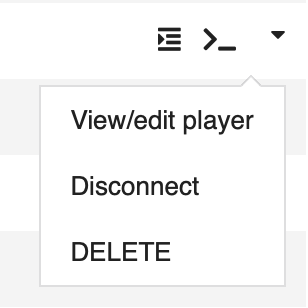
- Locate the v symbol to the far right and click it to open the dropdown menu. Click DELETE to remove the machine.
Follow the instructions at here to set up your new unit.